> ## Documentation Index
> Fetch the complete documentation index at: https://docs.letters.app/llms.txt
> Use this file to discover all available pages before exploring further.
# Intelligence Overview
> Customise how your transcription is interpreted and summarised using Intelligence in Letters.
## Intelligence Overview
Intelligence allows you to customise how your transcription is interpreted, summarised, and structured in the **Transcription Output Pane**.
 ### Intelligence Types
Choose how your transcript is structured using predefined intelligence types:
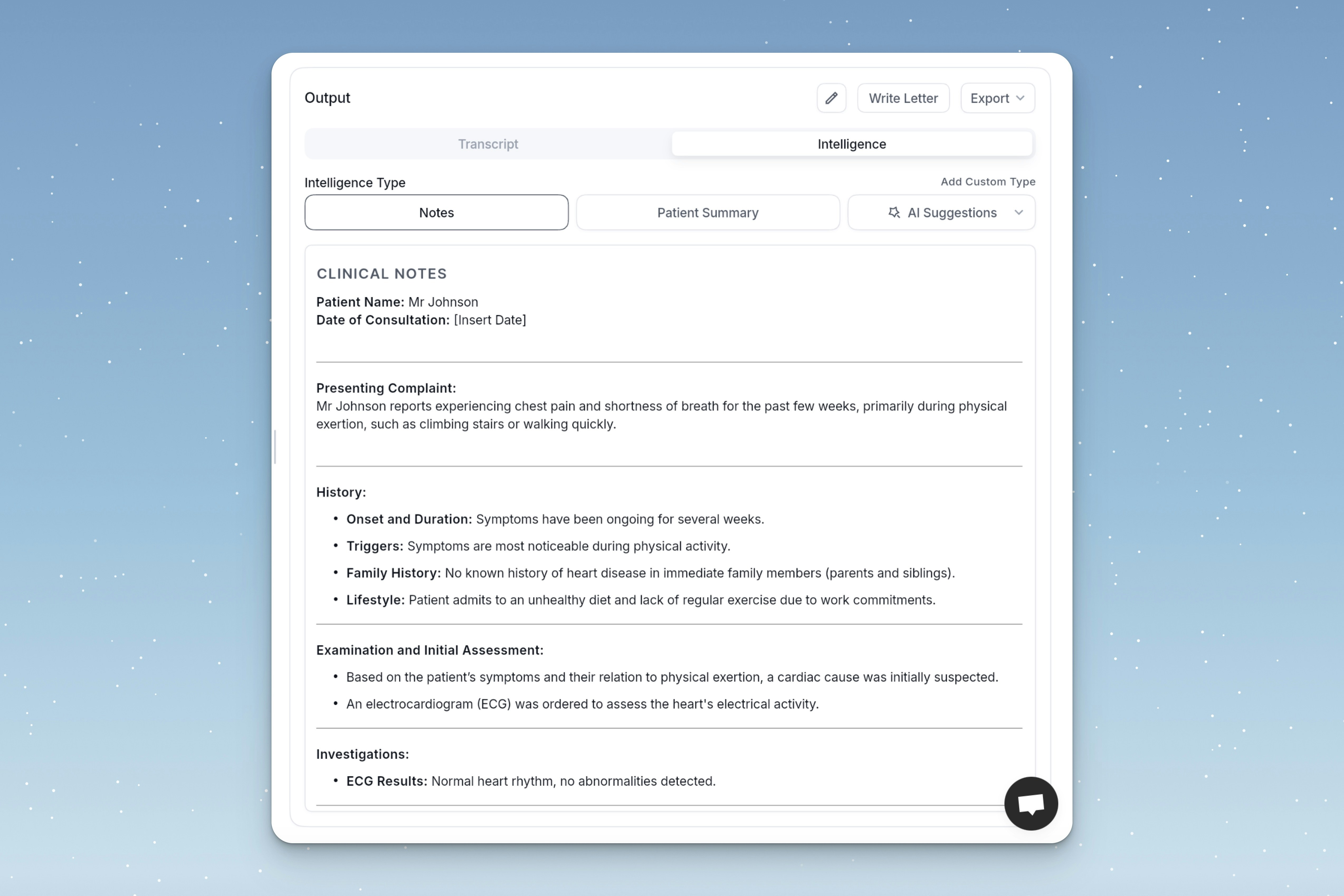
* **Notes**: A detailed clinical summary with structured headings (e.g. Presenting Complaint, History, Examination).
* **Patient Summary**: A simplified version of the notes, optimised for patient understanding.
### AI Suggestions
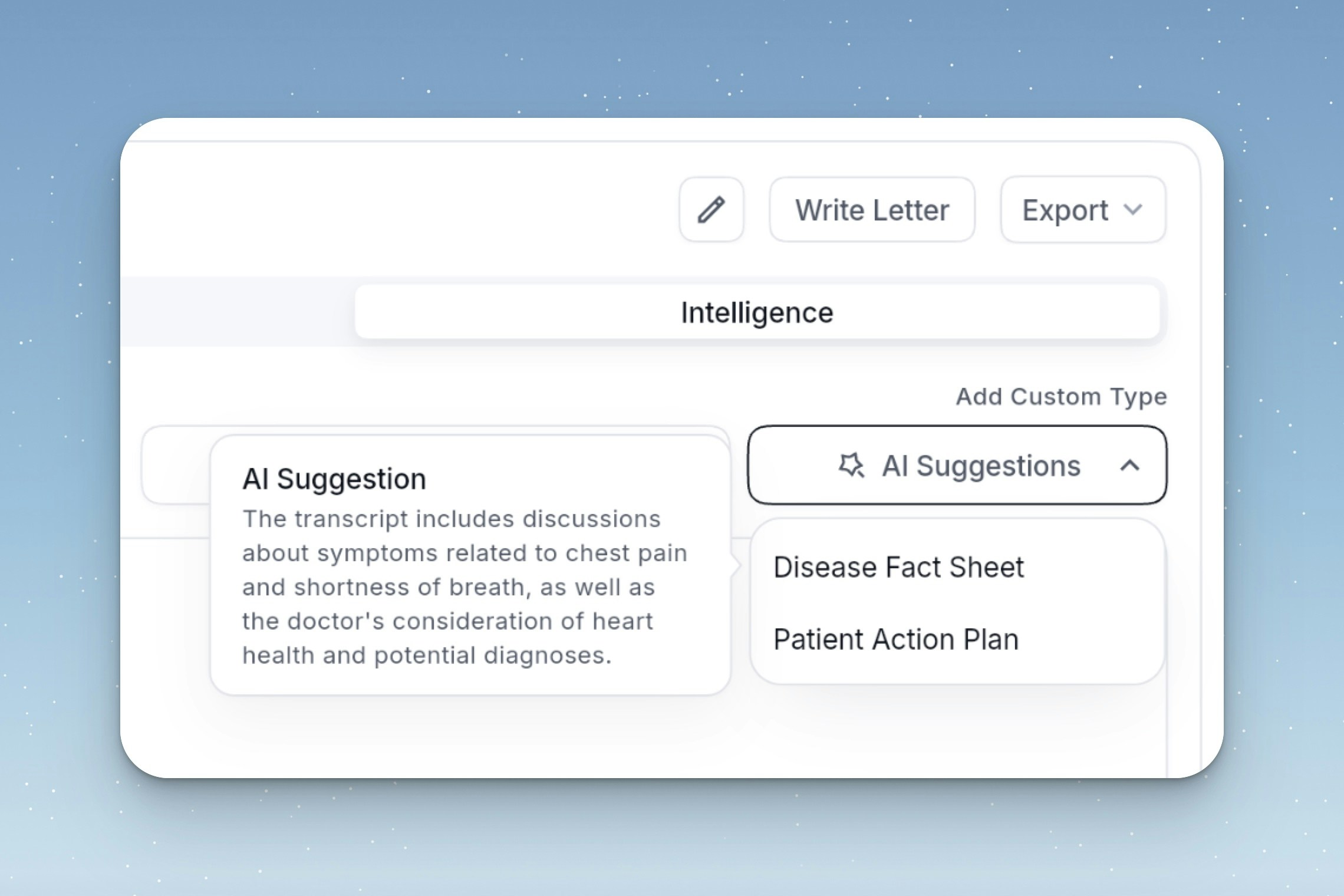
Based on the content of your transcript, the Assistant will generate real-time suggestions—such as **Disease Fact Sheets** or **Patient Action Plans**—to support clinical workflows.
### Intelligence Types
Choose how your transcript is structured using predefined intelligence types:
* **Notes**: A detailed clinical summary with structured headings (e.g. Presenting Complaint, History, Examination).
* **Patient Summary**: A simplified version of the notes, optimised for patient understanding.
### AI Suggestions
Based on the content of your transcript, the Assistant will generate real-time suggestions—such as **Disease Fact Sheets** or **Patient Action Plans**—to support clinical workflows.
 ### Custom Intelligence Types
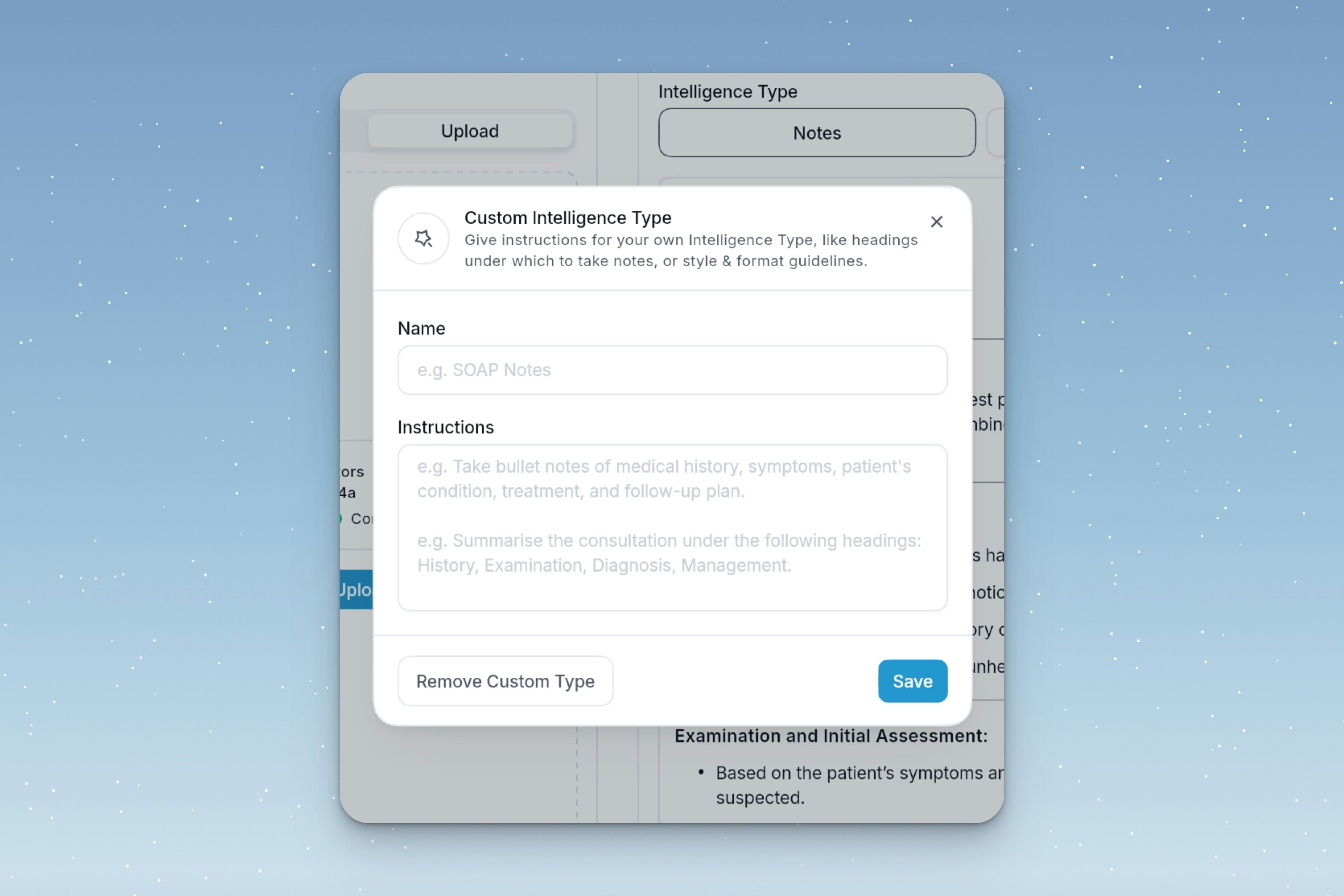
You can create and save your own **Custom Type** to match your preferred documentation style. Simply give it a name (e.g. SOAP Notes) and provide formatting instructions. Saved types will be available across all future transcriptions.
### Custom Intelligence Types
You can create and save your own **Custom Type** to match your preferred documentation style. Simply give it a name (e.g. SOAP Notes) and provide formatting instructions. Saved types will be available across all future transcriptions.