> ## Documentation Index
> Fetch the complete documentation index at: https://docs.letters.app/llms.txt
> Use this file to discover all available pages before exploring further.
# Export Letters into your eMR System
> Easily transfer your notes and documents into your medical record system
## How to Transfer Your Letter
Letters is designed for easy and seamless transfer of your notes into any medical record system.
### Step-by-Step Guide:
1. Click the **Export** button at the top right of your Letter.
2. Copy your letter to your clipboard.
3. Paste the copied content into your medical record (Right-click → Paste or Command ⌘ + V).
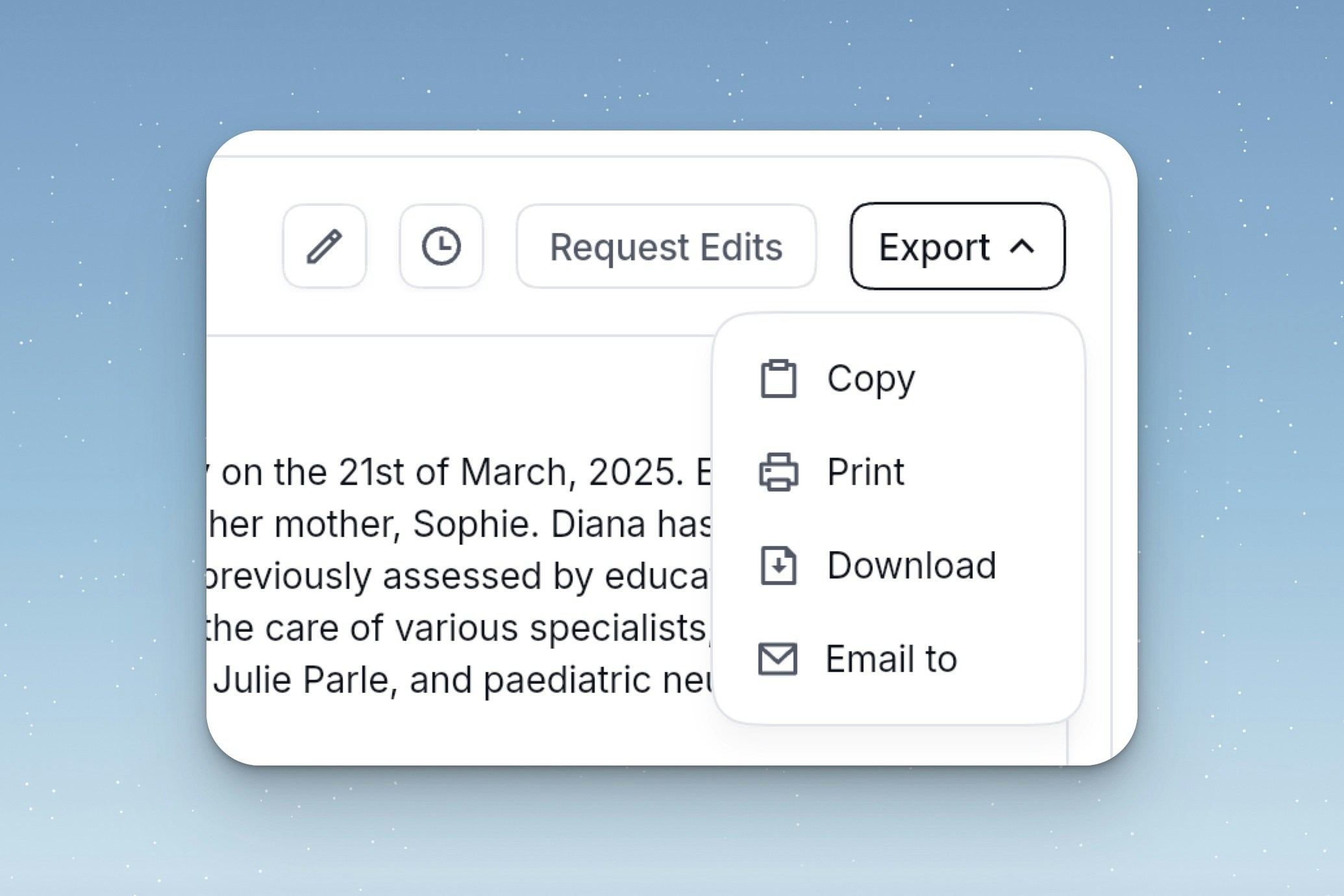 ### Export options:
1. **Copy plain text** will copy your letter to your clipboard.
2. **Print** print your letter.
3. **Download** download a formatated copy of your letter.
4. **Email to** forwards your letter to the specified recipients.
### Integrations
We are currently not integrated with any external tools, but this is on our roadmap. If you have any preferences [please contact our team](mailto:support@letters.app).
### Export options:
1. **Copy plain text** will copy your letter to your clipboard.
2. **Print** print your letter.
3. **Download** download a formatated copy of your letter.
4. **Email to** forwards your letter to the specified recipients.
### Integrations
We are currently not integrated with any external tools, but this is on our roadmap. If you have any preferences [please contact our team](mailto:support@letters.app).